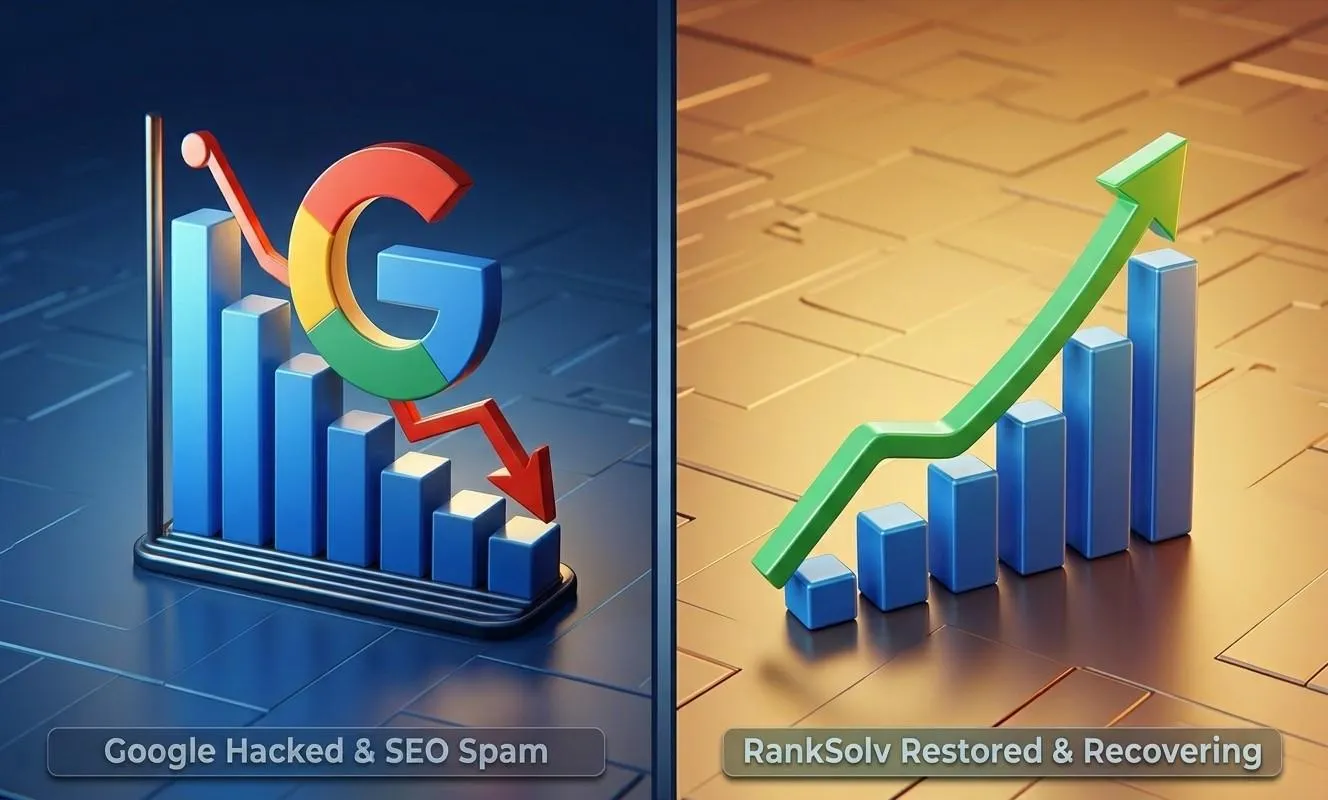
Website Hacked with SEO Spam? How to Spot It and Recover Your Google Rankings
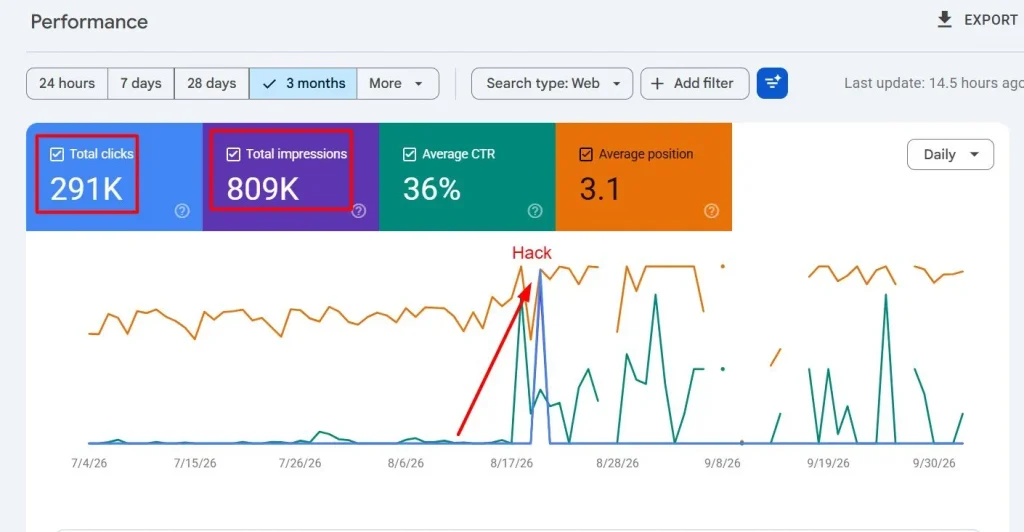
Last month, [Agu/2026], I opened Google Search Console and felt my stomach drop. I searched for Ranksolv on Google, we weren’t there. I opened Search Console and then checked our page source, and found gambling-related schema markup that I had never added. Someone had gotten into the site and injected it.
Ranksolv was ranking. Then someone broke in, injected gambling-related schema markup into our pages, and Google pulled the site from the results.
I run a digital marketing agency. If it can happen to us, it can happen to the business owner who has never heard of structured data. So this is the guide I wish I’d had: how to tell if you’ve been hit by an SEO spam hack, how to clean it up, and how to earn Google’s trust back.
What Is an SEO Spam Hack?
An SEO spam hack is when an attacker breaks into your site to promote their own pages, usually gambling, pharma, or counterfeit goods. They borrow your domain’s authority to do it.
They rarely deface your homepage. That’s the dangerous part. The damage is quiet, and you can go weeks without noticing. The usual forms are:
- Injected pages: hundreds or thousands of junk URLs you never created
- Hidden links and text: spam links tucked into your existing pages
- Malicious schema markup: fake structured data added to your code, which is what happened to me
- Cloaking: showing spam to Googlebot while you and your visitors see a normal site
- Redirects: sending visitors from search results to a different site
Warning Signs Your Website Was Hacked
Check for these:
- Your traffic dropped suddenly, with no redesign or update to explain it
- Search results look wrong. Your title or description mentions things you never wrote
- Search Console shows a Security Issues or Manual Actions warning
- You see unfamiliar URLs in the Pages report or your sitemap
- There are admin users you don’t recognize
- Your site is slow for no clear reason
- Visitors report redirects or browser warnings
- Your hosting provider emailed you about suspicious files
How to Confirm the Hack
Don’t guess. Run these checks.
1. Search your own site on Google. Type site:yourdomain.com and then try site:yourdomain.com casino, site:yourdomain.com betting, and similar words. Any hit that isn’t yours is a red flag.
2. Check Search Console. Open the Security Issues and Manual Actions reports. If Google found hacked content, it will usually say so here.
3. View the page as Google sees it. Use the URL Inspection tool and run a live test. Hackers often hide spam from regular visitors, so what you see in your browser can look completely clean.
4. Inspect your structured data. View your page source and search for application/ld+json. Then run your pages through Google’s Rich Results Test and the Schema Markup Validator. Look for anything referring to products, businesses, or topics that have nothing to do with you. [Describe what the malicious schema on your site looked like, in general terms.]
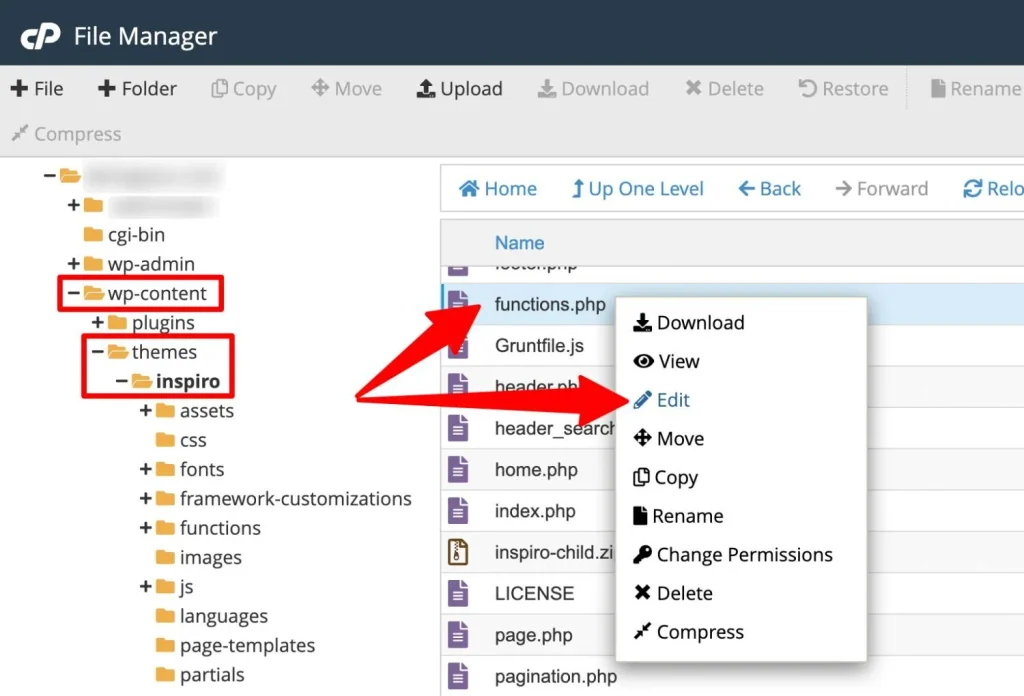
5. Review your users, files, and plugins. Look for admin accounts you didn’t create, recently modified files, and plugins or themes you don’t use. Check your theme’s functions.php, your .htaccess file, and your database for odd code.
How to Clean Up an SEO Spam Hack
Order matters here. If you rank-chase before the site is clean, you’ll just get reinfected.
Step 1: Back up first. Save a copy of the infected site. You’ll want it for reference, and your host may need it.
Step 2: Put the site in maintenance mode if the hack is active and affecting visitors.
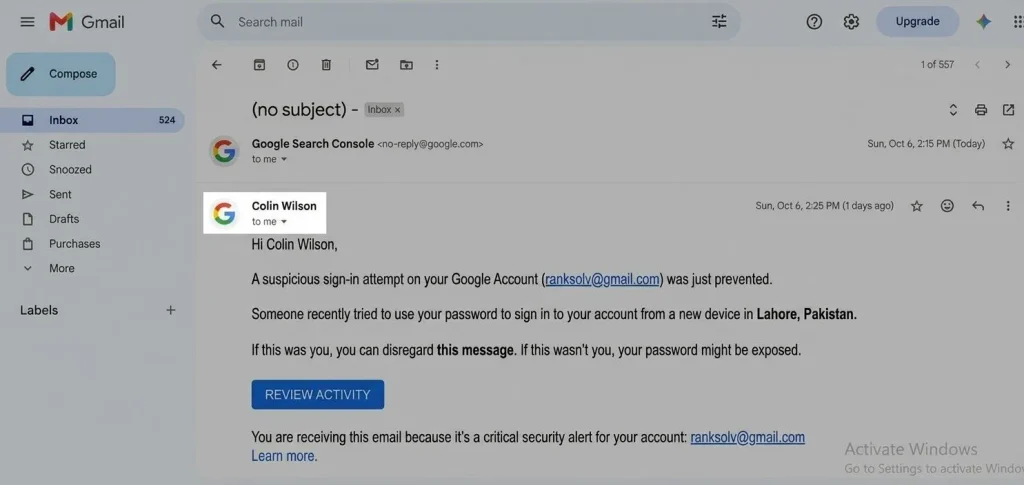
Step 3: Change every credential. That means hosting, FTP/SFTP, database, CMS admin accounts, and email. Use unique, long passwords and turn on two-factor authentication.
Step 4: Remove the malicious code and users. Delete rogue admin accounts, injected files, and spam code. If you’re not comfortable doing this, hire a security professional. A half-cleaned site gets hacked again.
Step 5: Update everything. Core software, themes, and plugins. Delete anything unused. Outdated plugins are one of the most common ways in.
Step 6: Rescan. Use a malware scanner and then check manually. Confirm the spam is really gone, including from the database.
Step 7: Deal with the junk URLs. Pages that shouldn’t exist should return a 404 or 410 status. Remove them from your sitemap.
In my case, I chose the most thorough option. I uninstalled WordPress completely and rebuilt the entire website from scratch, with all-new content across every page. I didn’t try to patch the damage and move on. Once you know someone has had access to your code, it’s hard to trust anything that was on the old version. Starting fresh was the safest way I knew to make sure nothing malicious came along with it.
A full rebuild isn’t the right move for everyone. It takes time, and if your site is large or you don’t have a backup of your content, careful cleanup may make more sense. But if you can’t be sure where the infection is hiding, rebuilding is the cleanest way to get certainty.
How to Recover Your Google Rankings
Once the site is clean, you have to tell Google.
1. Request a review in Search Console. If you have a Security Issues warning or a Manual Action, fix the problem and submit a review request. Be specific about what you found and what you did. Vague requests get rejected.
2. Resubmit a clean sitemap that contains only real pages.
3. Request indexing for your important pages through URL Inspection.
4. Keep monitoring. Check Search Console weekly. Watch for new URLs, new warnings, and changes in your queries.
5. Rebuild trust with good content. A hack doesn’t just remove rankings; it leaves your site looking unreliable. Publishing genuinely useful, accurate content, like this post, is part of the recovery. [Add where you are in recovery now and what you’re seeing, honestly, even if it’s slow.]
How long does recovery take? It varies. A review can take days to a few weeks, and rankings often take longer to come back than the warning does to disappear. Anyone who promises a specific timeline is guessing.
How to Prevent It From Happening Again
- Turn on two-factor authentication everywhere
- Keep your CMS, plugins, and themes updated
- Remove plugins and themes you don’t use
- Use strong, unique passwords and a password manager
- Choose a host that offers malware scanning and backups
- Limit admin accounts to the people who need them
- Keep automatic offsite backups
- Set up Search Console email alerts and check the Security Issues report regularly
- Review your structured data and site files after any plugin update or unusual event
What I Learned
The biggest lesson is that a hack doesn’t just break your website. It breaks Google’s trust in it, and that trust takes far longer to rebuild than the code takes to fix. Rankings can disappear quickly, but earning them back is slow, steady work.
The second lesson is that a clean rebuild beats a rushed patch. When I couldn’t be sure where the malicious code was hiding, starting from scratch gave me certainty that no amount of patching could.
If a client came to me in the same situation, I’d tell them three things: don’t panic, don’t ignore it, and don’t wait to act. Check Search Console, lock down every login, and make sure the site is truly clean before you ask Google to look at it again. And once it’s fixed, keep monitoring, because the work doesn’t end the day the warning disappears.
If you’re in the middle of this right now, don’t panic. It’s fixable. But it’s easier with someone who has seen it before.
Need Help?
If your site was hacked and you need help cleaning it up or rebuilding visibility, our team at a Pittsburgh digital marketing agency can walk you through the process. If getting back into Google is your main concern, our Pittsburgh search engine optimization consultant services focus on exactly that. [Update both URLs to match your site.]
FAQ
Can Google remove a hacked site from search results?
Yes. If Google detects hacked content or a serious spam issue, it can flag your site, demote it, or remove pages from results.
How do I know if my site has malicious schema markup?
View your page source, look for ld+json blocks, and test your pages with Google’s Rich Results Test and the Schema Markup Validator. Anything unrelated to your business is suspicious.
Will my rankings come back after I clean the hack?
Often they do, but not always fully, and not instantly. Clean the site completely, request a review if there’s a warning, and keep publishing quality content.
Should I hire someone to clean it up?
If you aren’t comfortable working in your site’s files and database, yes. An incomplete cleanup usually leads to reinfection.